Acceso a 109, Zona Industrial, Jurica, Querétaro. 442 712 1226
Los pasos para realizar el cambio de idioma una vez instalado el Software VISI son los siguientes:




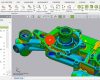

8.- ¿Cómo cambiar el idioma en VISI Software?
Descripción
Los pasos para realizar el cambio de idioma una vez instalado el Software VISI son los siguientes:
Categorías & Tags
Similar Downloads
Casos de éxito
Próximos Cursos
octubre 2026
Events for 1st octubre
Events for 2nd octubre
Events for 3rd octubre
Events for 4th octubre
Events for 5th octubre
Events for 6th octubre
Events for 7th octubre
Events for 8th octubre
Events for 9th octubre
Events for 10th octubre
Events for 11th octubre
Events for 12th octubre
Events for 13th octubre
Events for 14th octubre
Events for 15th octubre
Events for 16th octubre
Events for 17th octubre
Events for 18th octubre
Events for 19th octubre
Events for 20th octubre
Events for 21st octubre
Events for 22nd octubre
Events for 23rd octubre
Events for 24th octubre
Events for 25th octubre
Events for 26th octubre
Events for 27th octubre
Events for 28th octubre
Events for 29th octubre
Events for 30th octubre
Events for 31st octubre
Noticias
¿Sabías que VISI Progress?
20 marzo, 2025Razones para ocupar el Software Geomagic Control
5 octubre, 2024Ventajas de los Modelos en 3D impresión
28 septiembre, 2024Diferencia entre escáneres 3D y una herramienta
21 septiembre, 2024